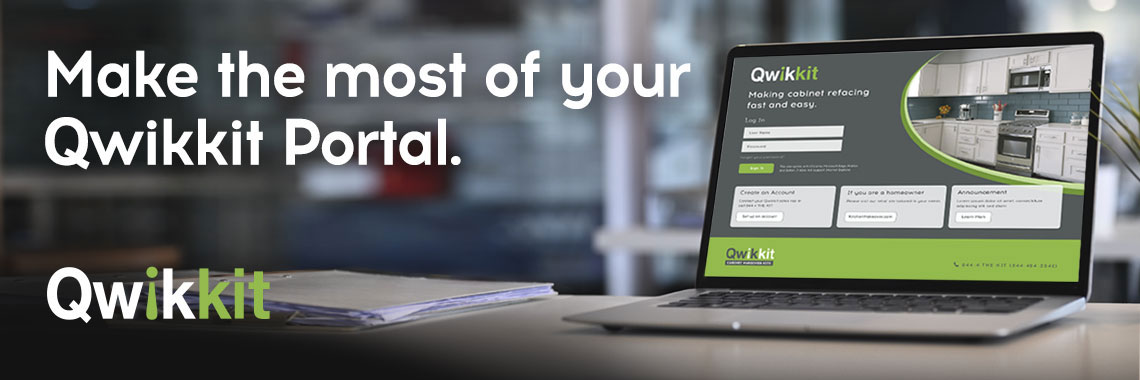
Qwikkit’s order portal tools make it easy to track your orders, make updates, and get what you need—fast. Our goal is to save you time and simplify your cabinet refacing projects.
Why Use Qwikkit’s Customer Order Tools?
- Speed: Get instant access to your order details.
- Control: Make changes anytime without relying on customer support.
- Transparency: Always know your order status.
Manage Your Qwikkit Orders Anytime
with Your Order Portal
The Qwikkit order portal puts you in control of your cabinet refacing orders. No more waiting for email replies or calling customer support—whether you need to adjust an order or check your shipment status, it’s all at your fingertips.
Modify Orders Before Production Starts
Already submitted your order and need to change something? You can modify your order directly in the Qwikkit Order Portal, as long as it hasn’t entered production. When your order status is “in production” your order is being made, and shipping information will be available within 24 hours.
You can make any changes when your order status is “received”. You can view the order status on the [number column].
Follow these steps:
1. Log in to your Qwikkit Order Portal.
2. Look for the order with the status “Order Received.”
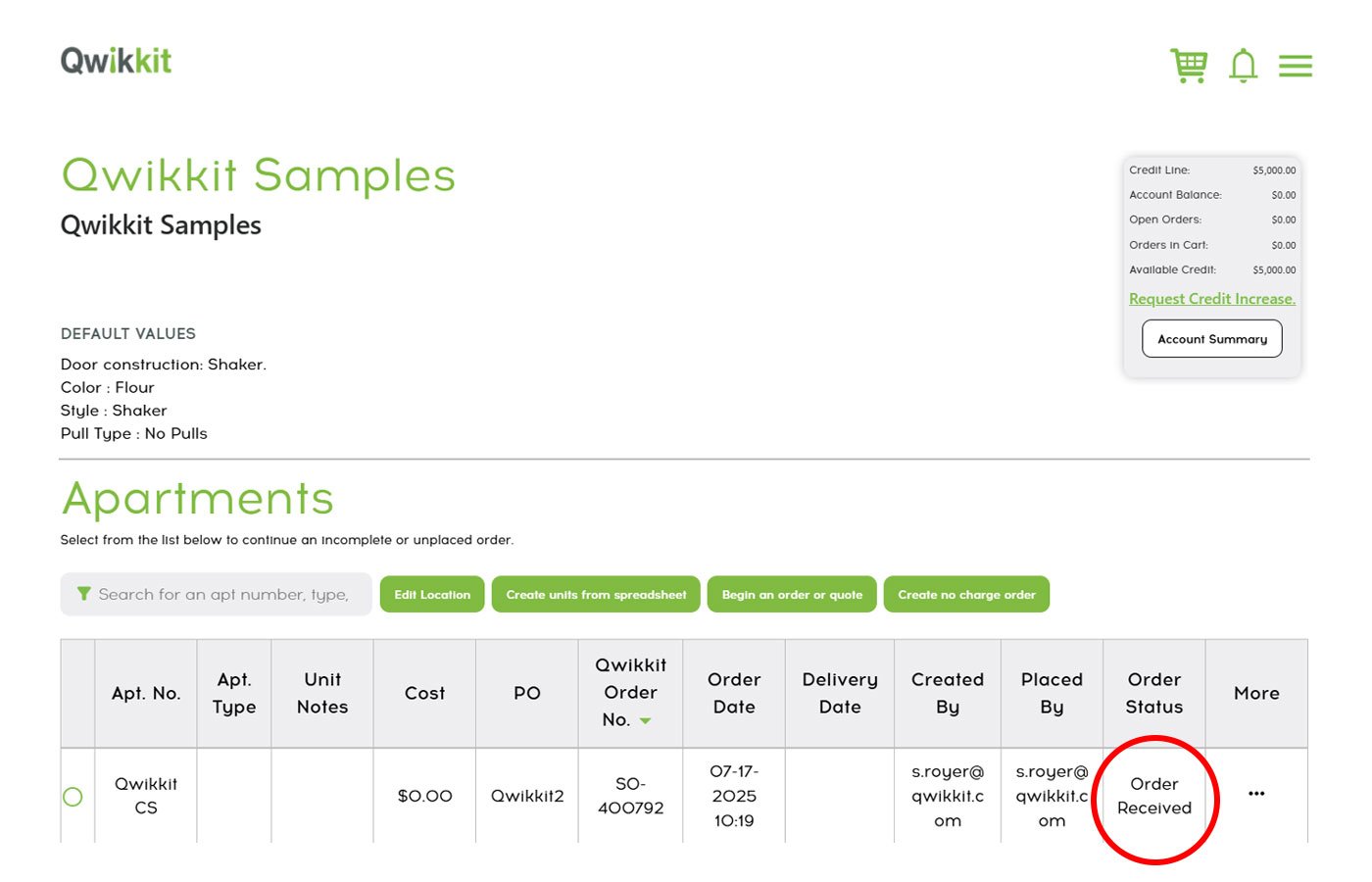
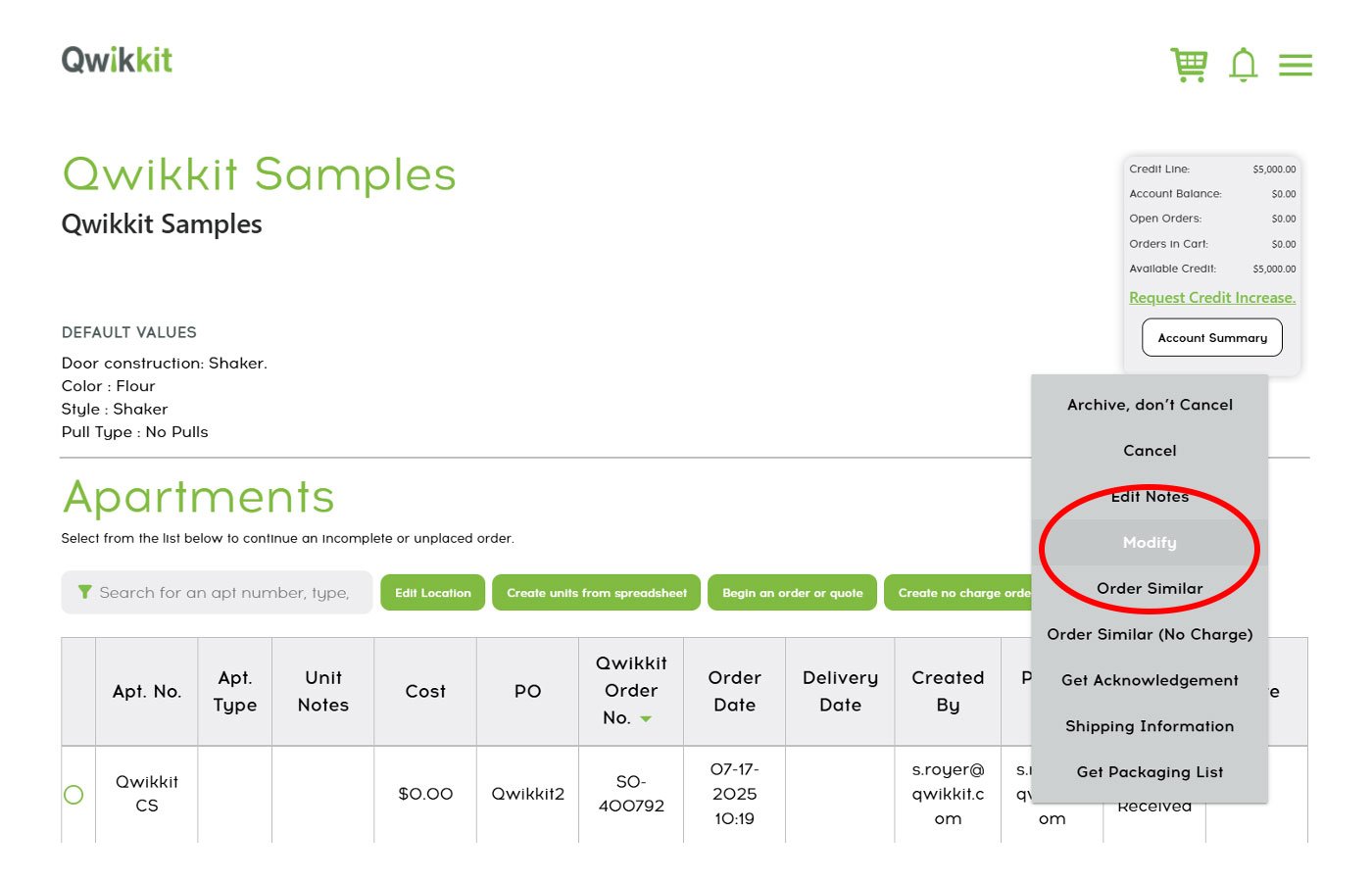
3. In the order table, hover over the three dots to open “More” menu next to the order line you wish to adjust.
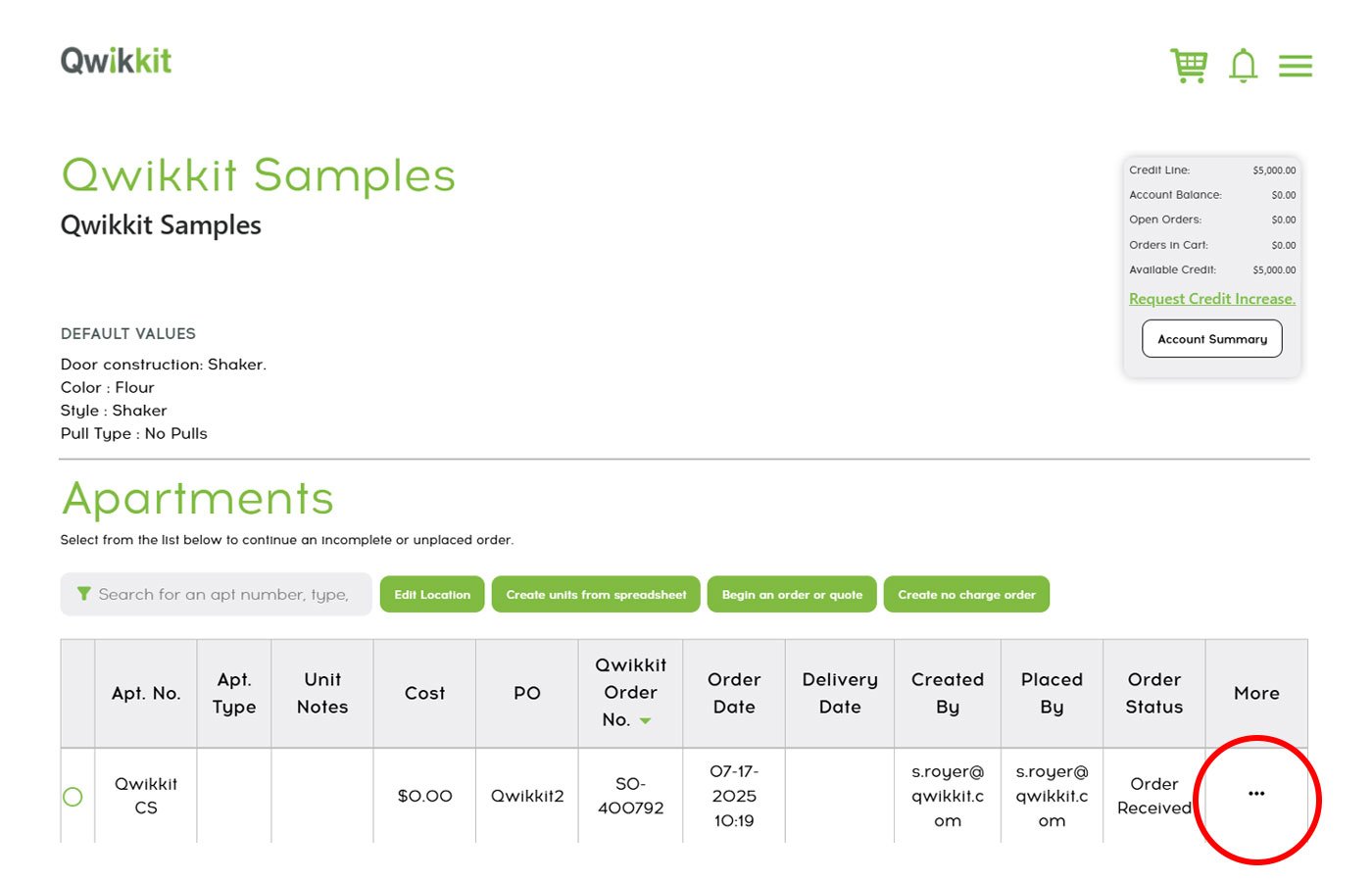
4. Select “Modify” and update the details you need—quantities, shipping addresses, or other fields.
If your order has already moved to “In Production,” contact our Customer Service Team for assistance.
Next up: once your order is set, you’ll probably want to keep an eye on its journey.
Track Your Qwikkit Shipments in Real-Time
Wondering when your order will arrive?
Our portal makes shipment tracking simple:
1. Log in to your Order Portal.
2. Select your location/project to view your orders.
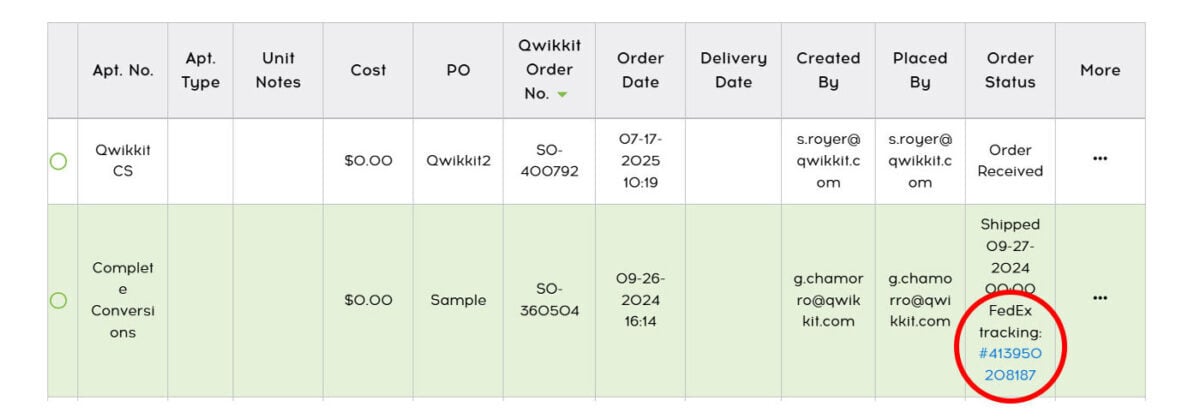
3. Under Order Status, look for the “Shipped” status.
4. You’ll find the ship date and a clickable FedEx tracking number to view your delivery status.
Customize your email notifications to get shipment updates.
Go to “Edit Location” → “Email Contacts” to choose what you want to be notified about.
And when it’s time to wrap things up, managing your invoice is just as simple.
Simplify Your Billing with the Qwikkit Order Portal
Keeping track of your orders is important—but so is managing your billing. The Qwikkit self-service portal makes it easy to view invoices, track payment status, and make secure online payments—all in one place.
View and Download Invoices in the Payment Portal
Need a copy of an invoice or want to check your account balance?
Follow these steps:
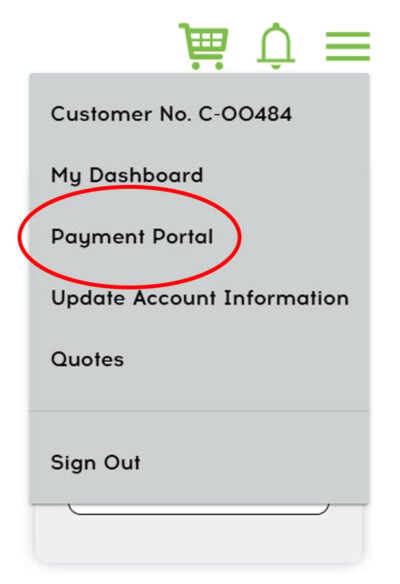
1. From the Order Portal, go to the “Payment Portal” in the menu.
2. Log in to your account.
3. On the <, go to the Account Summary page, review all your invoices.
4. Select the invoice you want to view or download.
5. See your payment history and outstanding balances in one place.
You can download invoices for your records or for tax/expense tracking.
Pay Invoices Online, Secure and Easy
When it’s time to pay, you don’t need to mail a check or call in a payment. Each invoice includes a secure payment link, so you can pay directly online.
If you’d like a complete account statement, our Customer Support Team can provide one upon request.
Start Managing Your Billing Today
Log in to the Qwikkit Payment Portal to take control of your billing. With Qwikkit’s self-service tools, managing payments is quick, simple, and secure.
Make the Most of Your Qwikkit Portal
Whether it’s modifying an order, tracking your shipment, or managing your billing, the Qwikkit Order Portal gives you the tools to stay in control of your cabinet refacing projects from start to finish. Our goal is to save you time, reduce stress, and keep your projects running smoothly—all while providing you with the high-quality, affordable solutions you expect from Qwikkit.
Log in to the Qwikkit Payment Portal and experience just how easy it can be.