
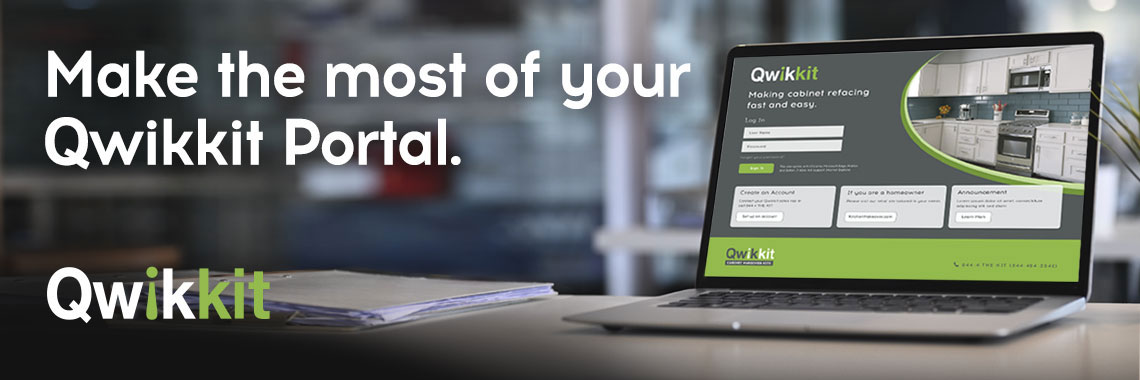
Qwikkit’s order portal tools make it easy to track your orders, make updates, and get what you need—fast. Our goal is to save you time and simplify your cabinet refacing projects.

Why Use Qwikkit’s Customer Order Tools?

  • Speed: Get instant access to your order details.
  • Control: Change an order yourself until it goes into production.
  • Transparency: Always know your order status.

Manage Your Qwikkit Orders Anytime
with Your Order Portal

The Qwikkit order portal puts you in control of your cabinet refacing orders. You can change an order before production starts and check shipping status online. For anything else, our Customer Service team can help.

Modify Orders Before Production Starts

Already submitted your order and need to change something? You can modify your order directly in the Qwikkit Order Portal, as long as it hasn’t entered production. Once your order is in production, it can't be changed. Kits ship in 5 to 8 business days. Tracking shows in the portal after your order ships.

You can make changes until your order goes into production. You can see the status in the Order Status column.

Follow these steps:

1. Log in to your Qwikkit Order Portal.

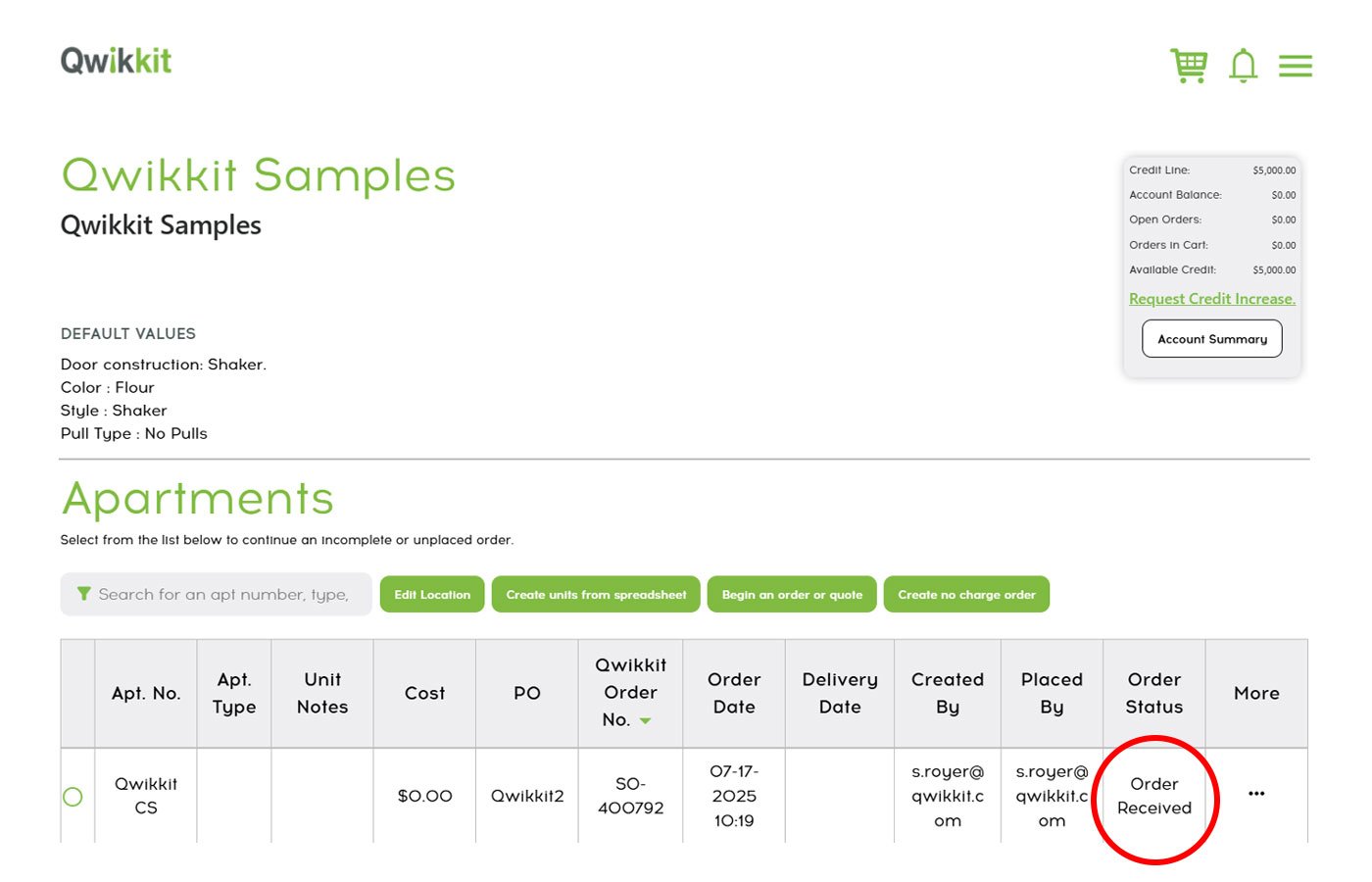
2. Look for the order with the status “Order Received.”
OrderRecieved

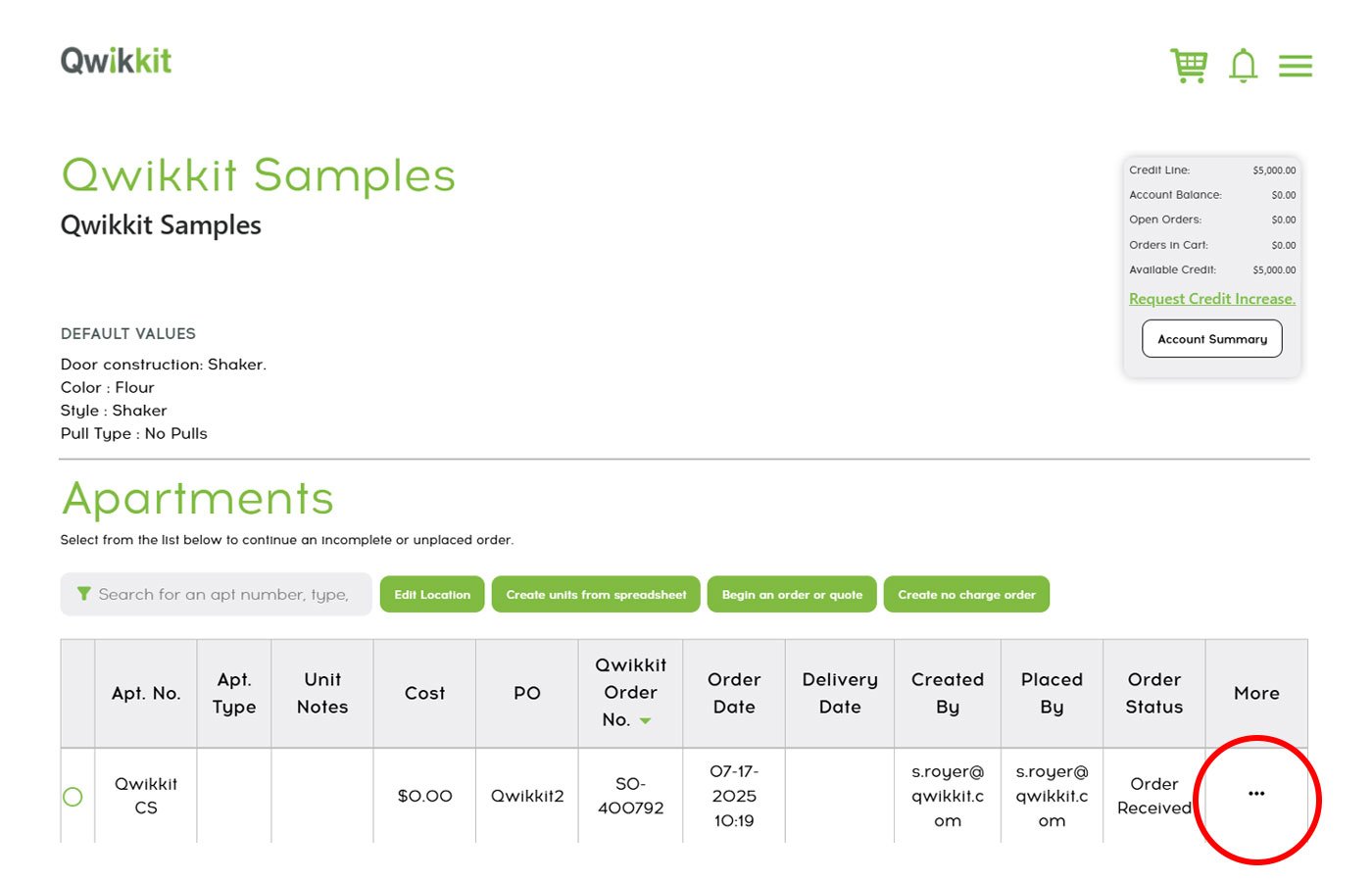
3. In the order table, hover over the three dots to open “More” menu next to the order line you wish to adjust.
ModifyOrders

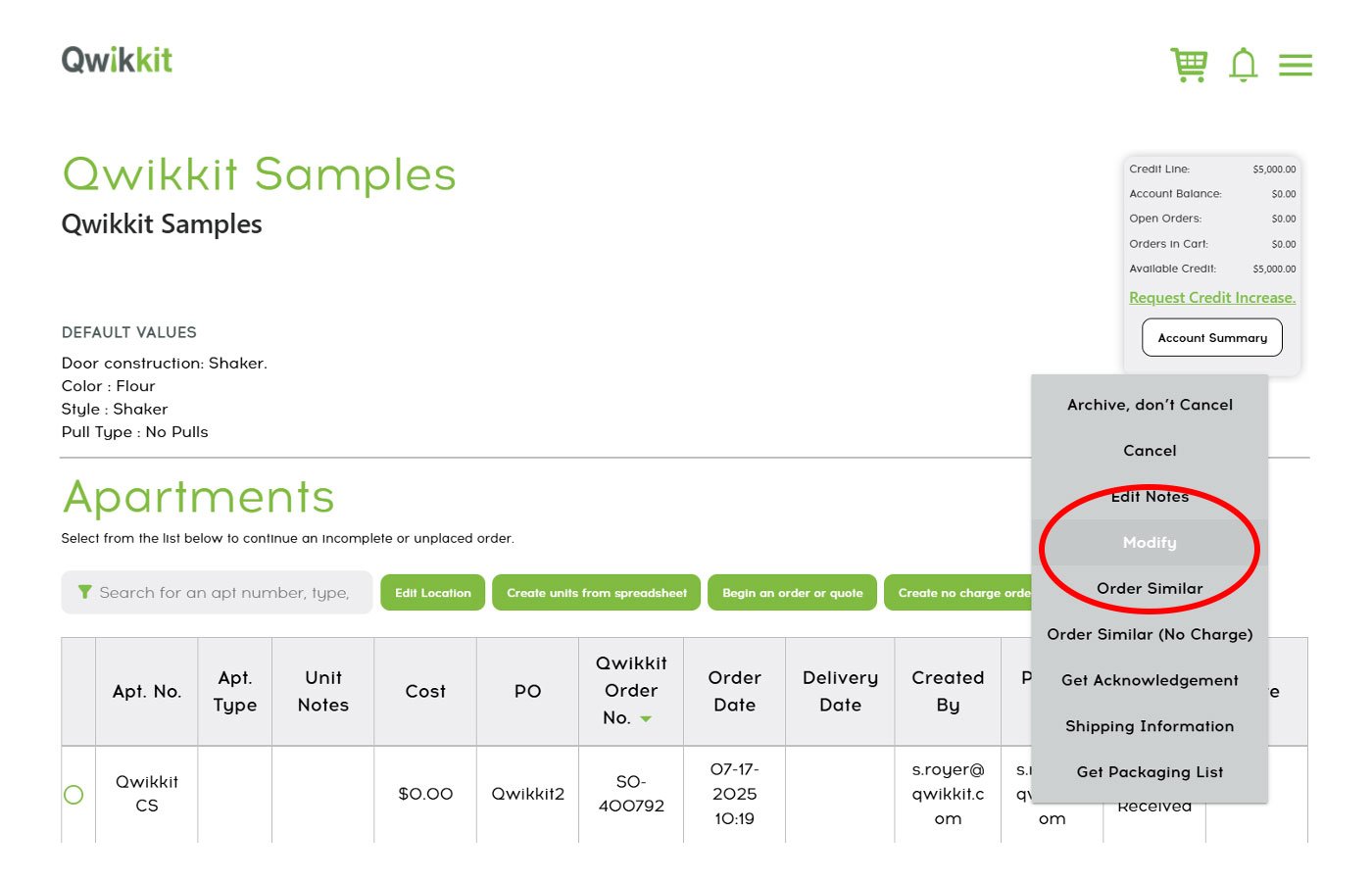
4. Select “Modify” and update the details you need. Then add the apartment back to your cart and reorder it. A modified order goes back to unordered status. We won’t build or ship it until you reorder.

Once your order is in production, custom doors can’t be changed, cancelled, or returned. Contact our Customer Service Team with any questions.
ModifyOrders-2-1

Next up: once your order is set, you’ll probably want to keep an eye on its journey.

Track Your Qwikkit Shipments Online

Wondering when your order will arrive?

Our portal makes shipment tracking simple:

1. Log in to your Order Portal.

2. Select your location/project to view your orders.

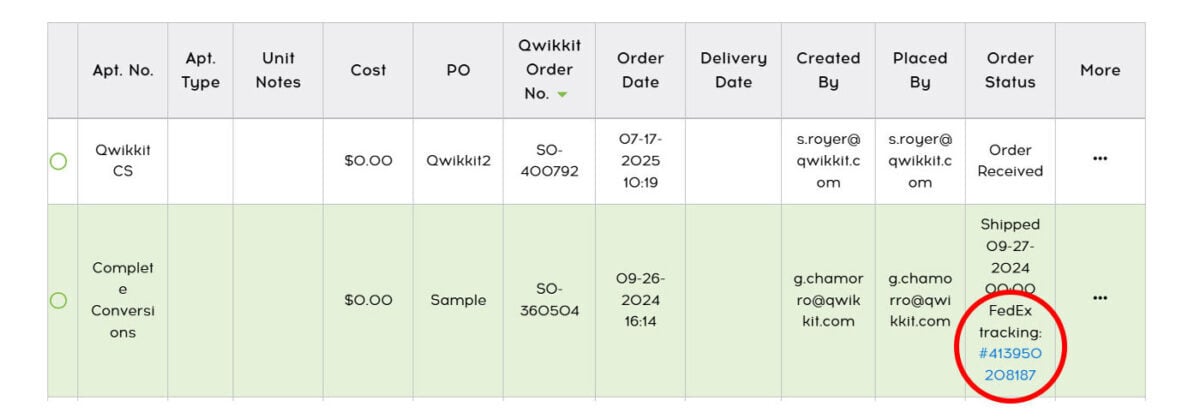
3. Under Order Status, look for the “Shipped” status.

4. You’ll find the ship date and a FedEx tracking number. Orders in the Houston area go by local delivery instead. If you don’t see a tracking number, email customerservice@qwikkit.com.

TrackingOrders
Pro-Tip

Customize your email notifications to get shipment updates.

Go to “Edit Location” → “Email Contacts” to choose what you want to be notified about.

Edit Email

And when it’s time to wrap things up, managing your invoice is just as simple.

Simplify Your Billing with the Qwikkit Order Portal

Keeping track of your orders is important—but so is managing your billing. The Qwikkit self-service portal makes it easy to view invoices, track payment status, and make secure online payments—all in one place.

View and Download Invoices in the Payment Portal

Need a copy of an invoice or want to check your account balance?

Follow these steps:

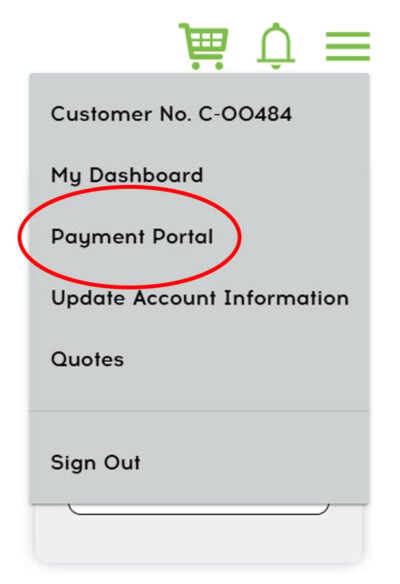
1. From the Order Portal, go to the “Payment Portal” in the menu.

2. Log in to your account.

3. Go to the Account Summary page to see all your invoices.

4. Select the invoice you want to view or download.

5. See your payment history and outstanding balances in one place.

You can download invoices for your records or for tax/expense tracking.
Payment Portal

Pay Invoices Online, Secure and Easy

When it’s time to pay, you don’t need to mail a check or call in a payment. Each invoice includes a secure payment link, so you can pay directly online.

If you’d like a complete account statement, our Customer Support Team can provide one upon request.

Start Managing Your Billing Today

Log in to the Qwikkit Payment Portal to take control of your billing. With Qwikkit’s self-service tools, managing payments is quick, simple, and secure.

Make the Most of Your Qwikkit Portal

Whether it’s modifying an order, tracking your shipment, or managing your billing, the Qwikkit Order Portal gives you the tools to stay in control of your cabinet refacing projects from start to finish. Our goal is to save you time, reduce stress, and keep your projects running smoothly—all while providing you with the high-quality, affordable solutions you expect from Qwikkit.

Log in to the Qwikkit Payment Portal and experience just how easy it can be.